
none
Events
Optimize Your Event Planning for Maximum Impact
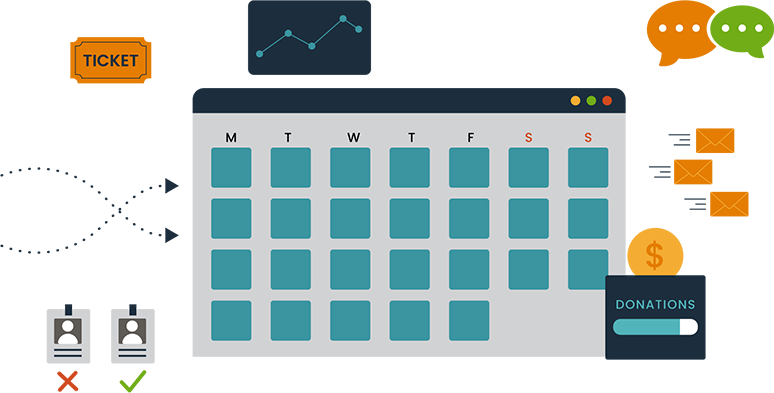
Campaign Nucleus provides powerful tools to elevate your events and streamline planning, whether for campaigns, nonprofits, or agencies. From ticketing and registration to VIP management, attendee tracking, and fraud protection, our platform simplifies the entire event experience.
Plan. Execute. Celebrate.
Easily manage registration and ticket sales with a seamless, user-friendly platform.
Safeguard your event with advanced fraud detection to block spammers and ensure data security.
Drive attendance with built-in marketing tools, including email, social media, and targeted campaigns.
Gain real-time insights on attendee interactions, check-ins, and participation to refine strategies.
Streamline media management and provide secure access with our credentialing tools.
Nurture relationships with key stakeholders using personalized communication and VIP management features.
Use powerful analytics to measure performance and optimize your event planning and engagement efforts.
Nucleus Events supports legally compliant raffles and giveaways—including those involving firearms—when permitted by law and appropriate for the event.
Built for flexibility—Nucleus powers everything from 5-person volunteer trainings to large-scale rallies with thousands of attendees.
12.3M
AI-driven fraud detections
1.02M
Unique Ticket Holders
7.7K
events managed using Nucleus across all 50 states
< 5-minutes
to build and publish a fully functional event page
100%
CRM, email, and outreach tool integration achieved across all events

Campaign Nucleus delivers incredible support... quick response times... exciting new features... dedicated to innovation and excellence.
–Lori , Nonprofit Organization
Nucleus is a game-changer... handles everything in one platform... super easy to use... keeps everything organized and efficient. Highly Recommend!
–Terri , Political Organization
Grateful for the hands-on, responsive help... customer service is top-notch... combines multiple tools into one platform... saves time and keeps everything in sync.
–Cathy , Fundraising
Nucleus is a game-changer for email deliverability... its unique batching feature tailors audience sizes per domain for optimal ISP performance... with a user-friendly interface and robust analytics, it’s perfect for elevating your email strategy.
–John , Digital Agency
Nucleus is a fantastic platform with the best support and it is tailored perfectly to meet the needs of the industry.
–Liam , Digital Agency
Nucleus customer service is top-notch—friendly, professional, and always eager to help. Whenever I’ve encountered a technical issue, they’ve provided expert assistance, solving problems quickly and thoroughly. They are always ready to jump in and offer support. Truly dependable and a pleasure to work with. Highly recommended!
–Tommy , State Party
As the CEO of Nexus Advertising Strategies, I’ve worked with numerous vendors... but Nucleus stands out. Their fulfillment services deliver consistent results... the platform is user-friendly, support is responsive... I trust Nucleus—and that trust has paid off.
–Ron , Agency
Switching to Nucleus was a game-changer. Within 24 hours, we saw a 35% jump in email deliverability and doubled our open rates. Our audience targeting became dramatically sharper — and our campaigns started converting faster. The difference was immediate and measurable.
–Direct Persuasion , Nonprofit Fundraising Client
Related Blogs
Campaigns
Data
Political
Texting
Volunteers
How a Statewide Campaign Built a More Connected Ground Game
November 2, 2026
Powered by Nucleus | Client Success Story
Millions of voter records. Thousands of volunteers. Hundreds of events. One connected platform to bring it all together.
Running a statewide political campaign is a massive undertaking. Between managing voter data, coordinating volunteers, organizing events, and executing outreach, campaign teams are constantly balancing competing priorities while working against tight deadlines.
For one statewide campaign, the challenge wasn't a lack of resources or information. It was finding a better way to connect everything and turn that information into meaningful action.
With millions of voter records, thousands of volunteers, and hundreds of events to manage, the campaign needed technology that could keep up with the scale and speed of its operation.
That's where Campaign Nucleus came in.
The Challenge: Too Much Data, Too Many Moving Parts
Political campaigns depend on information. But having access to millions of voter records doesn't automatically translate into an effective ground operation.
Campaign teams need to know who they're reaching, how those individuals are engaging, which volunteers are available, what events are happening, and where outreach efforts should be focused.
For this statewide campaign, those needs were amplified by the size of its operation.
The team was responsible for coordinating thousands of volunteers, managing hundreds of events, and maintaining access to millions of voter records. At the same time, staff needed to execute large-scale communications, identify key voter audiences, and respond to changing priorities as Election Day approached.
Managing these activities across disconnected systems created unnecessary complexity. Information had to be organized, audiences had to be built, and outreach had to be coordinated across different parts of the operation.
The campaign didn't need more technology. It needed its technology to work together.
The Solution: Connecting Data, People, and Outreach
By bringing its operations into Campaign Nucleus, the campaign established a more centralized approach to managing voter information, grassroots engagement, events, and communications.
Rather than treating each activity as a separate function, the team could connect its data with the tools needed to act on it.
Voter-file information could be used to build targeted audiences and identify individuals for specific outreach efforts. Supporter profiles provided a more organized view of engagement, while event and volunteer management tools helped coordinate activity across the state.
The platform also supported large-scale peer-to-peer texting, allowing the campaign to communicate directly with voters using audiences built from its existing data.
This became particularly valuable during absentee and early voting.
As ballots were distributed and returned, the campaign could use updated voter information to identify individuals who had not yet returned their ballots. Those audiences could then be incorporated into peer-to-peer texting efforts, helping the team focus its communications based on current voter information.
Instead of managing voter data and communications as separate processes, the campaign could connect the two within a coordinated workflow.
And with fewer disconnected systems to manage, staff could spend more time executing their plans and less time navigating the technology behind them.
The Results: Millions Reached, Thousands Engaged, and More Than $50,000 Saved
The impact of a more connected operation extended beyond simplifying daily workflows.
With Campaign Nucleus supporting its data, communications, and grassroots activity, the campaign managed substantial outreach volume while reducing the costs associated with its technology operation.
By the Numbers
| Metric | Result |
|---|---|
| Peer-to-peer text messages delivered | 5M+ |
| Supporter profiles managed and activated | 60K+ |
| Savings through technology consolidation | $50K+ |
These results demonstrate the scale of the operation and the value of connecting critical campaign functions.
More than five million peer-to-peer text messages supported voter outreach efforts, while more than 60,000 supporter profiles helped organize and activate the campaign's broader network.
Consolidating technology also delivered more than $50,000 in savings, reducing the financial burden of maintaining separate tools and services.
But the value wasn't limited to dollars saved or messages delivered.
The campaign also benefited from a more streamlined approach to execution. Teams could move between identifying audiences, coordinating activities, and launching communications without relying on a collection of disconnected platforms.
That operational efficiency becomes especially important during the final weeks of a campaign, when priorities can change quickly and every hour matters.
Why a Connected Operation Matters
One of the biggest challenges facing large campaigns isn't necessarily the amount of work that needs to get done. It's the number of systems, processes, and teams involved in getting it done.
When voter data lives in one system, volunteer information in another, and communications somewhere else, even routine activities can require additional coordination.
A connected platform changes that experience.
For this statewide campaign, bringing these functions together created a more consistent foundation for managing information and executing outreach.
Campaign staff could work from shared data, build audiences based on relevant voter information, coordinate events and volunteer activity, and manage communications within the same broader technology environment.
That meant fewer operational barriers between identifying an opportunity and acting on it.
It also gave the organization a more scalable foundation for handling the demands of a statewide operation.
From Data to Action: The Nucleus Advantage
This statewide campaign demonstrates an important distinction between having access to powerful technology and having technology that works together.
Millions of voter records are valuable, but only when teams can organize and use that information. Volunteers are essential, but coordinating thousands of them requires the right infrastructure. Large-scale communications can reach significant audiences, but those efforts become more manageable when they're connected to the data informing them.
By bringing these capabilities together, Campaign Nucleus helped the organization simplify its operations, manage outreach at scale, and reduce technology costs.
The result was a campaign infrastructure designed to support the people doing the work, rather than adding more work to their plates.
More than five million text messages. More than 60,000 supporter profiles. Over $50,000 in savings.
And one connected platform behind it all.
One Platform. More Possibility.
Whether you're managing a statewide political campaign, a national advocacy organization, or a growing grassroots operation, disconnected technology shouldn't slow your team down.
Campaign Nucleus brings your data, communications, events, and engagement tools together so your organization can spend less time managing systems and more time getting things done.
Communication
Deliverability
Emails
Email Best Practices
Reputation
Spam
Night of the Living Unsubscribes
October 19, 2026
Email Horror Stories, part 3 of 3
Every ignored unsubscribe becomes a spam complaint, and the complaints are what the providers count.
Part one was the dead list and part two was the cold sender. Part three is the dead coming back to life, because someone unsubscribed and kept getting mail anyway.
Most fundraising teams know they should honor opt-outs. What's harder is knowing how fast to act, and whether the rules reach a campaign or a nonprofit at all. The legal clock and the provider clock aren't the same, and for political senders the legal answer is less obvious than people assume. None of this is legal advice. Where the law is unsettled I say so and flag it for counsel.
Back from the dead
Validity's 2026 benchmark describes the mechanism: subscribers often use the "this is spam" button interchangeably with unsubscribing, but high complaint rates hurt a sender's reputation and deliverability, and unsubscribes don't (Validity 2026 Benchmark Report). Every opt-out you fail to honor, or hide, is a person who will reach for the other button. As the last post covered, Google wants complaints under 0.1% and never at 0.3%, and the average sender in Validity's data sits at 0.06%.
The header ritual
RFC 8058 defines one-click unsubscribe. You add a List-Unsubscribe-Post header containing List-Unsubscribe=One-Click next to a List-Unsubscribe header with an HTTPS URL, and you sign at least one valid DKIM signature that covers both headers. A mailbox provider can then unsubscribe someone by sending an HTTPS POST to that URL (RFC 8058). The standard exists because anti-spam software that fetches header URLs would otherwise unsubscribe people by accident.
Google requires this from senders of 5,000 or more messages a day: marketing and subscribed messages must support one-click unsubscribe and carry a clearly visible unsubscribe link in the body (Google sender guidelines). Its FAQ adds that one-click is required only for marketing and promotional messages, that transactional messages are excluded, and that mailto and plain URL links don't meet the requirement (Google FAQ). The same page says message recipients, not Google, determine the nature of the messages they receive, which makes "we're a campaign, not a marketer" a risky bet. Yahoo asks bulk senders for one-click and calls the RFC 8058 method highly recommended (Yahoo). Gmail's verified sender program for political committees recommends it too (Gmail Verified Sender Program policies).
The clocks
CAN-SPAM gives a sender up to 10 business days to honor an opt-out, and the opt-out mechanism has to keep working for at least 30 days after the message goes out (15 U.S.C. 7704; FTC compliance guide). Yahoo says to honor unsubscribes within 2 days (Yahoo). Google recommends 48 hours, and its sender-requirements table lists unsubscribe requests not honored within 48 hours as an issue that makes delivery support and mitigations unavailable (Google FAQ). The page doesn't reconcile the two statements, so treat 48 hours as the real deadline.
The legal clock runs about two weeks and the provider clock runs two days, so a weekly batch job that passes the first one fails the second.
Is your fundraising email even covered?
CAN-SPAM covers a "commercial electronic mail message," meaning one whose primary purpose is the commercial advertisement or promotion of a commercial product or service (15 U.S.C. 7702). That definitions section doesn't mention political, nonprofit or charitable messages at all.
The FTC's guidance is thin. Its compliance guide doesn't address political or nonprofit email. A 2015 FTC business blog post says CAN-SPAM applies only to commercial email and not to non-commercial bulk email, and that political messages are protected by the First Amendment, but it doesn't say whether a nonprofit's fundraising appeal counts (FTC blog). The FTC's 2008 rulemaking adds that CAN-SPAM does not set up a dichotomy between commercial and nonprofit messages, so a nonprofit whose email primarily promotes a commercial product or service gets treated like anyone else (FTC 2008 rule). A 2024 North Carolina Law Review article says political organizations aren't legally required to include unsubscribe links, though most do anyway (N.C. L. Rev. 102).
Put together, a plain donation or volunteer appeal probably sits outside the statute's definition. A merchandise email probably doesn't, since a hat or a T-shirt is a commercial product. That second half is my reading of the definition, not an FTC ruling I can point to, and mixed emails are where it gets hard. Confirm with counsel before treating any stream as exempt.
Exempt or not, the providers don't care about your tax status. Their rules look at the message and at what recipients make of it.
What it costs
The FTC's penalty ceiling is up to $53,088 per violating email (FTC compliance guide). In a September 2026 notice, the FTC said its civil penalty amounts stay unchanged for 2026 and that it will keep applying the 2025 levels (Federal Register notice). The FTC, state attorneys general and internet access providers can enforce CAN-SPAM, and the statute doesn't give consumers a private right to sue (15 U.S.C. 7706).
For scale, the FTC's August 2024 settlement with Verkada was $2.95 million, which the agency called the largest penalty it has obtained for a CAN-SPAM violation. It alleged more than 30 million commercial emails over three years, including failures to honor unsubscribe requests (FTC press release).
State law
CAN-SPAM supersedes state laws that expressly regulate commercial email, except to the extent they prohibit falsity or deception, and it leaves general laws such as fraud and computer crime alone (15 U.S.C. 7707). That is why the state statutes people mention mostly target misleading email, not unsubscribe timing.
Washington's CEMA defines a commercial electronic mail message as one sent to promote real property, goods or services for sale or lease (RCW 19.190.010). A 2026 amendment, HB 2274, took effect on 11 June 2026 and sets recipient damages at $100 or actual damages, down from $500 (RCW 19.190.040; DLA Piper summary). California's Business and Professions Code 17529.5 similarly targets deceptive commercial email advertisements and allows private suits (Cal. BPC 17529.5). Whether a campaign appeal counts as commercial under either state's definition is unsettled in anything I could find. Confirm with counsel.
Composite scenario: the weekly batch
Composite scenario. No real organization or person is depicted. A national advocacy nonprofit runs a donor list and an online merch store. A vendor processes unsubscribes in a weekly batch, and the email header carries only a mailto unsubscribe.
What went wrong:
- Monday: a supporter clicks unsubscribe.
- Wednesday: the merch sale email goes out. The supporter is still on the list.
- Wednesday: they hit "Report spam."
- Over the next two weeks: Gmail complaints climb past 0.3%.
- After that: the domain is ineligible for mitigation support and the fundraising sends start landing in spam.
How it should have gone: suppress on click, not weekly. Add RFC 8058 headers signed under DKIM. Share one suppression list across every vendor. Ask counsel which streams count as commercial, and hold all of them to the stricter provider rules anyway.
Don't be this sender
- Your unsubscribe is a batch job.
- Your header lacks List-Unsubscribe-Post.
- Your vendors keep separate suppression lists.
- You've never asked counsel which messages are "commercial."
- Your unsubscribe link is hard to find, so people hit "spam" instead.
That wraps the series.
Communication
Deliverability
Emails
Email Best Practices
Reputation
Spam
It Came From a Cold IP: The Cold Sender Possessed
October 12, 2026
Email Horror Stories, part 2 of 3
A cold sender that suddenly sends big looks exactly like the thing the filters were built to catch.
Last week was about the dead addresses on your list. This week is about the sender. Picture a domain or IP with no history that goes from a trickle to a flood overnight because someone senior decided the deadline was tonight. A mailbox provider can't tell that apart from a spammer who just bought a new domain.
I'm skipping the warm-up how-to, since you've read it already. What follows is what providers do when the spike lands, and which numbers decide whether you come out the other side.
The creature awakens
Google's sender guidelines already say what they expect from a new sender: start with a low sending volume to engaged users, increase it slowly, and avoid sudden volume spikes (Google email sender guidelines). They don't say how slowly, or for how long. No schedule appears on that page, so "slowly" is whatever the filter decides it means.
Validity reports that providers act on this directly. Its 2026 report says mailbox providers reject senders who suddenly increase volume, partly because their systems can't absorb the surge, and that rejections spiked over the holiday season as senders pushed volume to hit revenue goals (Validity 2026 Benchmark Report). The report's example is holiday retail. Political fundraising has the same problem on a tighter calendar.
The numbers that bite
Google asks bulk senders (more than 5,000 messages a day to Gmail accounts) to keep user-reported spam rates below 0.1% and to avoid ever reaching 0.3% (Google email sender guidelines). The rate is calculated daily. Cross 0.3% and you lose eligibility for mitigation support until the rate stays below 0.3% for seven consecutive days (Google FAQ).
Yahoo's line is 0.3% (Yahoo sender best practices). Validity puts the average complaint rate at 0.06% and says under 0.1% is now the expectation (Validity). That makes 0.3% the cliff edge, and healthy senders sit nowhere near it. If you're testing it, you're the outlier.
Programs built for campaigns use the same number. Gmail's verified sender program measures a 14-day average spam rate against 0.3%, and a violation costs you a seven-day suspension or permanent removal (Gmail Verified Sender Program policies). Verified or not, the line doesn't move.
Three mailbox providers, three moods
Gmail first. Google says it has been ramping up enforcement since November 2025, and that non-compliant messages face disruptions including temporary and permanent rejections (Google FAQ). Depending on the violation, you may get spam foldering instead.
Yahoo uses the same 0.3% ceiling, and bulk senders also need one-click unsubscribe and two-day unsubscribe handling (Yahoo). Its page says nothing about volume spikes, so that gap is yours to manage.
Microsoft wants SPF, DKIM and DMARC (at least p=none) from anyone sending 5,000 or more messages a day to Outlook.com consumer addresses. It began routing non-compliant mail to Junk on 5 May 2025 and said rejections would follow on a date to be announced (Microsoft Tech Community). The reject code is 550 5.7.515.
You can fail without ever seeing a block. Junk and spam foldering look like low engagement on a dashboard, and a team already behind on a deadline will read them that way.
The deferral zone
Gmail's 421 4.7.28 means it has detected an unusual rate of email from your IP address, netblock or domain and has temporarily rate limited it. Google's error page points you to its bulk sender guidelines and little else (Gmail SMTP errors and codes). It says nothing about ramping volume, which is a bit like a hospital sign that says "do not be sick."
Treat a 421 as a verdict. Before the next big send, check how your sending platform handles deferrals, so you know what it does with the queue when Gmail starts pushing back.
Deadline-night possession
Political and nonprofit programs spike on purpose. An end-of-quarter push, an election-eve appeal and a breaking-news ask all land on the same infrastructure that sent a few thousand messages last Tuesday. The senders most likely to be cold are often the ones told to send to everyone tonight.
The thresholds don't care why. A new domain with no history and a sudden jump looks the same whether it belongs to a PAC or a pill spammer. What you can control is who you send to first and how many complaints you collect. Keep complaints well under 0.1%, which is much easier before the spike than during it.
Composite scenario: the deadline night
Composite scenario. No real organization or person is depicted. A new 501(c)(4) registers a fresh sending domain in August. An end-of-quarter deadline is coming, and leadership wants "the whole file, tonight."
What went wrong:
- Early in the week: the domain sends about 4,000 messages a day.
- Deadline night: 700,000 messages go out in two hours.
- Hour one: Gmail returns 421 4.7.28 deferrals.
- Hour two: retries stack up and complaints on the Gmail slice reach 0.4%.
- Next morning: the team learns it is ineligible for mitigation support.
How it should have gone: decide the volume and segment plan weeks ahead, not on deadline night. Send engaged segments first. Watch Postmaster Tools while the send is running, and agree a stop rule at 0.1% complaints before anyone is tired. Have a plan for the rest of the file that does not require it all to go out at once.
Don't be this sender
- Your biggest send of the quarter is also your first big send.
- You don't know your Postmaster Tools spam rate today.
- Your sending platform retries deferrals as fast as it can.
- Leadership sets the volume the night before.
- You have no stop rule for complaints.
Plan the spike while it's still a calendar entry.
Next week: night of the living unsubscribes.
Communication
Deliverability
Emails
Email Best Practices
Reputation
Spam
Don’t Send to the Dead: The Ghost List
October 6, 2026
Email Horror Stories, part 1 of 3
Your list isn't an asset. It's a graveyard, and mailbox providers are the ones who dig things up.
Every program has one: the file nobody wants to touch. The 2019 petition drive. The rented "likely donors" list a vendor swore was clean. The event sign-ins from a conference three cycles ago. It sits in the ESP, it makes the total look big, and the day someone needs volume, it gets mailed.
Then the bounces show up. This post is about why, and what to do before the next send.
The crypt keeper's ledger
Start with what a healthy program looks like. In its 2026 benchmark, covering 2025 sending, Validity put the average unknown-user rate (what the rest of us call hard bounces) at 1.46% and the average complaint rate at 0.06% (Validity 2026 Email Deliverability Benchmark Report). If your file bounces at 7%, you are not slightly off average. You are mailing people who aren't there.
Dead addresses cost you in two ways. The obvious one is the bounce itself, which mailbox providers read as a sign you don't know who you're mailing. The less obvious one is that old addresses don't always bounce. Some of them get repurposed to catch senders who aren't paying attention.
There is also a clock you don't control. Validity notes that Yahoo closes inactive accounts after 12 months and Gmail after 24, so the longer a segment sits, the more of it turns into hard bounces (same report).
Three kinds of ghosts
According to Spamhaus, most spamtraps fall into three groups: typos, recycled and pristine (Spamhaus on spamtraps).
- Typo traps are misspelled versions of real provider domains, think yaaho.com. Spamhaus ties them to addresses scraped from the web or bought from someone who scraped them.
- Recycled traps are real addresses that were abandoned and later turned into traps. Spamhaus says they make up most traps, and they mostly signal that you stopped cleaning your list.
- Pristine traps were never anyone's inbox. Spamhaus says mail landing in one points to scraped or improperly sourced data, which says something worse about where the list came from.
The distinction matters because the fix differs. Recycled traps are a hygiene problem. Pristine traps are a sourcing problem.
Haunted by a stranger's list
Rented and bought lists are where the pristine traps live. You can't see how the addresses were collected, you can't see how old they are, and you inherit all of it the moment you hit send.
Spamhaus takes a blunt position on this: it urges people to treat spamtraps as proof of a data collection or hygiene issue and not to go hunting for the offending address (Spamhaus). That is hard advice to take at 4 p.m. the week before an election, but it is the right advice. If a vendor can't tell you how a list was built, the list is the risk.
The blocklist tribunal
Blocklists don't care about your intentions. They care about what your mail looks like from the outside: the IP it came from and the domains it links to.
Two habits make this worse. The first is judging a listing by the IP alone. URL blocklists such as SURBL list the domains that appear inside message bodies (SURBL overview), so your link and tracking domains can put you on trial even when your sending IP is spotless. Check them before launch, not after the first deferral. The second is treating a listing as a mailbox-provider problem. Read your bounce logs first. The provider is usually telling you exactly what it saw.
Exorcism by sunsetting
A sunset policy retires addresses that have stopped engaging. Spamhaus says M3AAWG suggests waiting at least 12 months before dormant addresses can age into traps, and that mailbox providers may start investigating unengaged addresses somewhere between 3 and 12 months (Spamhaus on sunset policies, November 2023, so treat the numbers as guidance, not a rule).
Put plainly: if you mailed someone a year ago and they never opened, clicked or gave, they are not a subscriber. They are a liability with a name attached.
In practice, sunsetting is three moves. Segment by last engagement. Send the re-engagement ask to the middle of the pile, once, with a clear way to say yes. Suppress everyone who doesn't answer. Hard bounces get suppressed the first time, every time.
Political and nonprofit programs resist this because list size feels like strength. I'd take a 150,000-address file that people read over a 600,000-address file that bounces at 7%.
Composite scenario: the 2019 petition list
Composite scenario. No real organization or person is depicted. A statewide PAC inherits 600,000 addresses: a 2019 petition drive plus a rented "likely donors" list. Most of them haven't been mailed in years. A pre-election push is two weeks out, and the finance director wants the whole file.
What went wrong:
- Monday: the full file goes out. Hard bounces hit 7%.
- Tuesday: Gmail starts deferring mail.
- Wednesday: a recycled trap gets hit and the sending IP lands on a blocklist.
- Thursday: fundraising links land in spam, even for donors who gave last month.
- Friday: the consultant blames Gmail.
How it should have gone: verify the file at import and drop the rented segment. Send first to people who engaged in the last 12 months, then re-permission the rest or let them go. Check bounce and complaint rates after every send. Before launch, check the link domain against URL blocklists.
Don't be this sender
- You email addresses you can't date.
- You rent lists without asking where the consent came from.
- You never suppress hard bounces or long-dormant addresses.
- You've never checked your link and tracking domains against URL blocklists.
- You blame the mailbox provider before reading your bounce logs.
If two or more of those sound familiar, your list is already haunted. The good news is that exorcisms are cheap compared to a blocklisting the week before Election Day.
Next week: what happens when a cold sender suddenly sends big.
Events
Features
Fundraising
One Event Page for Every Stop, Session, and Day
September 3, 2026
DAY 4 · SEPTEMBER 3, 2026
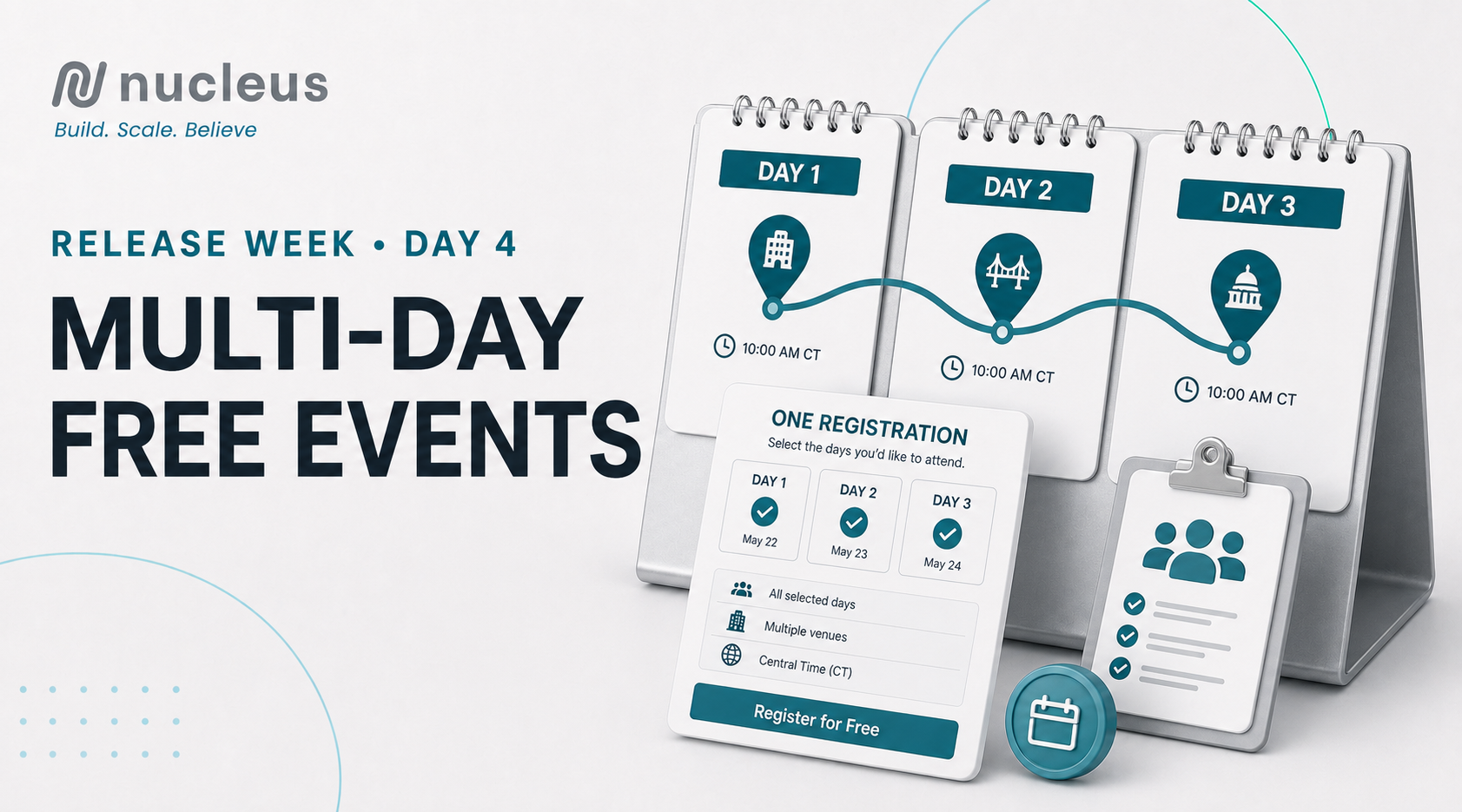
Create free events that span multiple dates while giving each day its own schedule, location, capacity, and registration settings.
A statewide tour, training weekend, conference, or multi-stop town hall may be one campaign—but it is rarely one date, one room, or one headcount.
Multi-Day Free Events makes it possible to organize that full experience as one event in Nucleus while giving each day the settings it needs.
Create one event across multiple dates
When creating a free event, enable the multi-day option and add up to five days. Each day can have its own name, start and end time, timezone, registration window, doors-open time, venue, and capacity.
That means a bus tour can move from Columbus to Cleveland, or a training weekend can use a different room and attendance limit each day, without forcing your team to build unrelated event records from scratch.
Give attendees one place to register
All event days live behind one public registration page. Attendees select the dates they plan to attend, creating a simpler experience than finding and submitting a different form for every stop or session.
If a questionnaire is part of registration, the attendee answers it once. Nucleus carries those responses across the selected days while preserving the signup details associated with each date.
Manage the details day by day
Although the experience is presented as one event, each day maintains its own operational settings. Local timezones support events that cross regions, individual capacities help teams plan for different venues, and separate registration windows give organizers more control over when each date is available.
This structure brings the campaign together without flattening the details that make each stop unique.
A few setup details to know
Multi-day scheduling is available for free events. Once an event is created as multi-day, the setting cannot be switched off, though days can still be added or removed. If the event is saved with only one day, it returns to a standard single-day event.
Because each day belongs to the main event, deleting the parent event also deletes its connected days.
Plan the whole experience in one place
Multi-Day Free Events gives organizers one event page, one connected registration journey, and the flexibility to configure each day properly. It is a better fit for tours, conferences, trainings, and any free event that extends beyond a single date.
Multi-Day Free Events arrives September 3 for Day 4 of Nucleus Release Week.
Events
Features
User Experience
One Promo Code, More Ways to Fill the Room
September 1, 2026
DAY 2 · SEPTEMBER 1, 2026
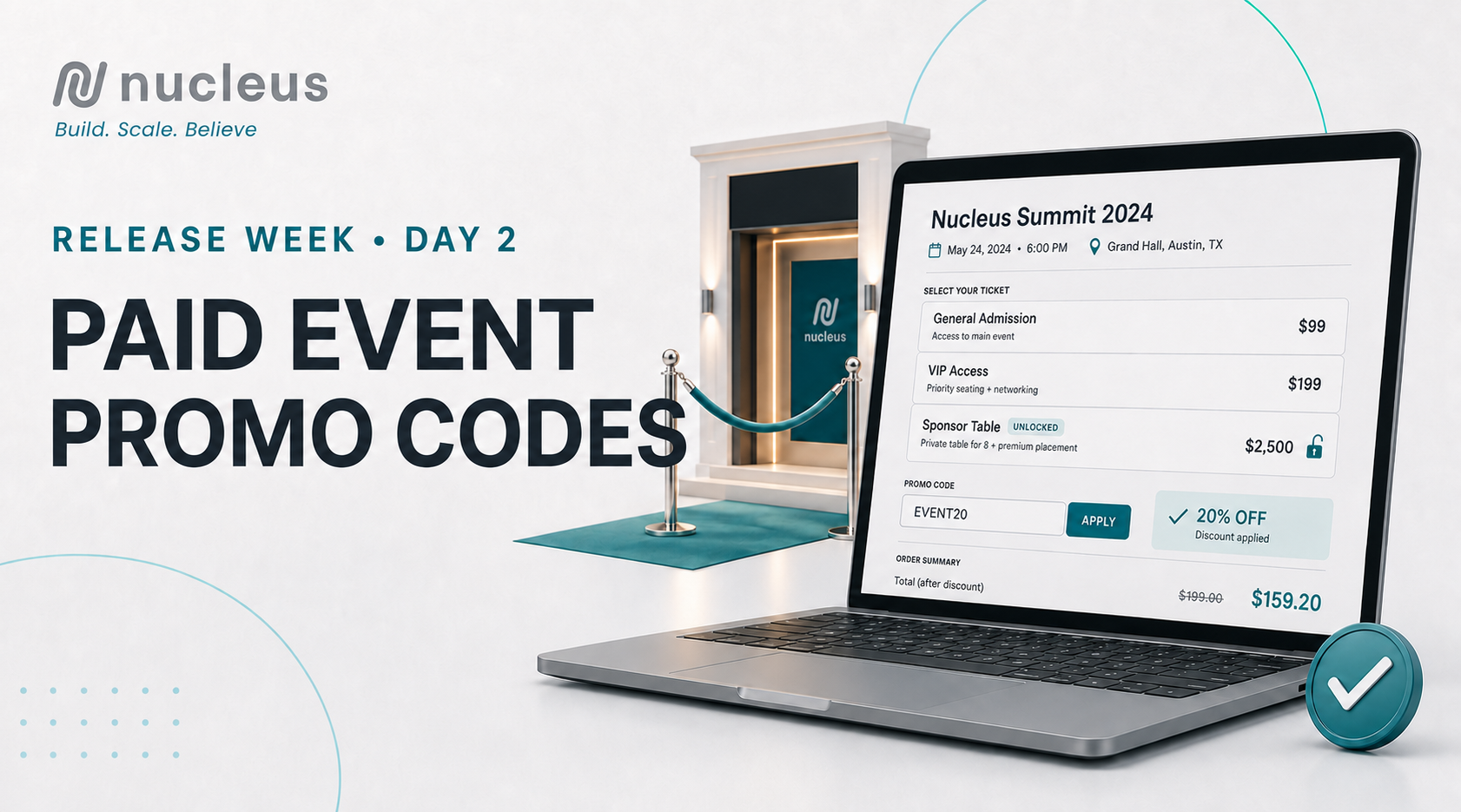
Launch flexible discounts, unlock private ticket tiers, and manage special access without creating separate event pages.
Event promotions rarely fit into one simple discount. An early-bird attendee may need 20% off general admission. A sponsor may need access to a private table package. Staff, press, volunteers, and board members may need comped seats that never appear in public ticket inventory.
Paid Event Promo Codes brings all of those workflows into a single paid event in Nucleus.
Discount every ticket tier differently
A promo code can apply a percentage discount, a fixed dollar discount, or make an eligible ticket free. The real flexibility comes from setting the value by ticket tier.
With one code, you could take 20% off General Admission while taking $500 off a Sponsor Table. Your team can build an offer around the value of each ticket type instead of forcing one discount across the entire event.
Unlock ticket options that stay hidden from the public
Promo codes can also control access. Mark a ticket tier as private, and it will remain hidden on the public registration page until an attendee enters a matching code.
This creates a clean way to manage comped staff seats, press credentials, volunteer allocations, board tickets, or invite-only sponsor packages. Attendees still use the same public event page; the code simply reveals the ticket options intended for them.
Access codes can leave the ticket price unchanged or make the ticket free, giving your team control over both visibility and value.
Set clear limits and real deadlines
Each code can have a usage limit or remain unlimited, and Nucleus shows how many uses remain. You can also set an expiration date, exact time, and timezone.
That timezone detail matters when a promotion needs to end at 5:00 PM in the venue’s local time—not whenever a server in another region reaches the deadline. It is a small setting that makes early-bird and last-chance offers much easier to run with confidence.
A smoother experience from promotion to checkout
Attendees can validate a code directly on the registration page before checkout. Your team can generate codes, copy them with one click, and filter the promo code list by ticket tier or expiration status.
The result is one organized event setup for public sales, promotional pricing, and private allocations—without duplicate pages or manual registration workarounds.
Build smarter offers for your next paid event
Use Paid Event Promo Codes for early-bird pushes, sponsor packages, partner promotions, comped access, or invitation-only ticket tiers. You decide what the code unlocks, how much it changes the price, and when it stops working.
Paid Event Promo Codes arrives September 1 for Day 2 of Nucleus Release Week.
Open any paid event and select the Promo Codes tab to get started!
Messaging
Political
Productivity
Shortcode vs. 10DLC: Which SMS Registration Does Your Campaign Need?
July 28, 2026
Texting is one of the highest-converting channels a campaign has — but only if your messages actually reach a phone. Before you send a single text, you need to register your sending number with the carriers, and campaigns have two main paths to choose from: shortcode and 10DLC. Picking the wrong one can mean delayed launches, throttled messages, or texts that never arrive at all.
Here's how the two compare, and how to figure out which one fits your campaign.
What Is a Shortcode?
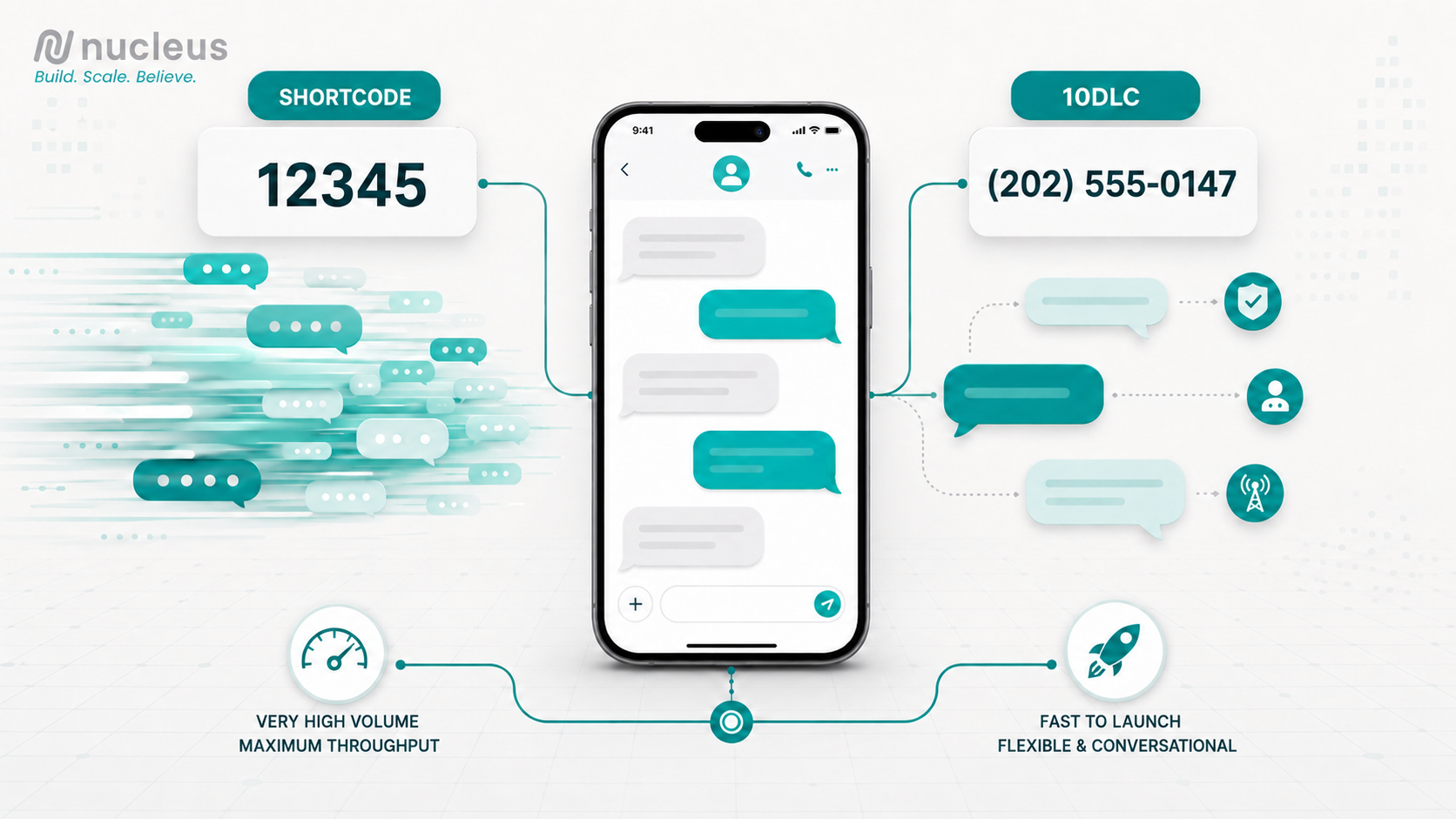
A shortcode is a 5-6 digit number (think " 12345") leased directly from the carriers through a shortcode aggregator. It's built for high-volume, one-to-many messaging — the kind of blast you'd send to a large list all at once.
Pros:
- Very high throughput — shortcodes can send tens of thousands of messages per minute
- Strong deliverability once approved, since carriers pre-vet the use case
- Recognizable format that people associate with legitimate bulk sending
Cons:
- Expensive — leasing a shortcode typically runs several thousand dollars a month, plus setup fees
- Slow to launch — carrier approval (via CTIA/aggregator vetting) can take 8-12 weeks
- Overkill for smaller lists or peer-to-peer style outreach
What Is 10DLC?
10DLC stands for "10-Digit Long Code" — essentially a standard-looking phone number that's registered for business (in this case, campaign) messaging through The Campaign Registry (TCR). It's become the default path for most political texting programs.
Pros:
- Much faster to stand up — registration can be approved in days rather than months
- Lower cost — no shortcode lease fees, just registration and per-message carrier fees
- Works well for both mass texting and more personal, conversational or peer-to-peer programs
- Flexible: campaigns can register multiple 10DLC numbers under one brand for different purposes (fundraising, GOTV, volunteer recruitment)
Cons:
- Lower throughput than a shortcode — carriers cap messages-per-second, so very large blasts take longer to send
- Requires ongoing attention to trust scores and campaign-use-case registration to avoid carrier filtering
The Real Difference: Volume vs. Speed to Launch
The decision usually comes down to two questions:
- How big is your list, and how fast do you need to reach it? If you're sending to hundreds of thousands of contacts on a tight timeline, shortcode's throughput matters.
- How soon do you need to be live, and what's your budget? If you're launching mid-cycle and need to be texting within days, 10DLC is almost always the practical answer.
For most campaigns — especially state and local races, or federal campaigns still ramping up — 10DLC hits the sweet spot: fast approval, reasonable cost, and enough throughput for most GOTV and fundraising pushes.
Don't Forget TCPA Compliance
Regardless of which path you choose, registration is only half the equation. Every campaign texting program needs to be built around TCPA (Telephone Consumer Protection Act) compliance:
- Clear, documented opt-in for every number on your list
- Easy opt-out language (STOP/HELP) honored immediately
- Accurate campaign-use-case registration that matches what you're actually sending
- Careful monitoring of complaint and filtering rates, since carriers can throttle or block traffic that looks non-compliant
Getting the registration type right gets your messages eligible to be delivered. Compliance is what keeps them actually landing in inboxes cycle after cycle.
Bottom Line
If your campaign needs to move fast, keep costs manageable, and run a flexible mix of mass and peer-to-peer texting, 10DLC is usually the right call. If you're running a massive, single-purpose blast program at national scale and have months of lead time, a shortcode may be worth the investment.
Not sure which fits your program?
Talk to the Nucleus team about setting up compliant SMS registration before your next send.
Operations
Planning
Political
Productivity
Reporting
The Death of the Campaign Tech Stack
July 24, 2026
The Death of the Campaign Tech Stack
Why campaigns are finally walking away from disconnected software.
For years, building a campaign meant building a tech stack.
You'd pick a CRM.
Then an email platform.
Then texting software.
Then an event management system.
A website.
A fundraising platform.
Volunteer management.
Analytics.
Reporting.
Somewhere along the way, Zapier became your most important employee.
At the time, it made sense.
The best tools solved one problem really well.
The problem was...they rarely solved it together.
We Didn't Build a Tech Stack.
We Built a Maze.
Every new platform promised to make life easier.
Instead, most organizations ended up with something like this:
CRM → Email Platform
CRM → Website
Website → Forms
Forms → Zapier
Zapier → CRM
CRM → Events
Events → Email
Email → Analytics
Analytics → Spreadsheet
Spreadsheet → Leadership
Every arrow represented another integration.
Another manual process.
Another point of failure.
Eventually, nobody knew where the "real" data lived.
Sound familiar?
Every New Tool Creates Another Problem
Need volunteer management?
Buy another platform.
Need peer-to-peer texting?
Add another subscription.
Need event registration?
Different vendor.
Need AI?
Yet another login.
Individually, they're good products.
Collectively?
They're exhausting.
Your staff spends more time managing software than engaging supporters.
The Hidden Cost Isn't the Subscription.
Everyone talks about software costs.
Very few talk about operational costs.
How much time is spent...
...importing spreadsheets?
...fixing duplicate records?
...checking if an integration failed?
...rebuilding reports?
...answering, "Why don't these numbers match?"
...logging into six different systems every morning?
That's the real expense.
Not dollars.
Momentum.
Data Stops Being Trusted
Here's where things get dangerous.
Marketing reports one donor count.
Development reports another.
Events has different attendance numbers.
Finance has different revenue totals.
Leadership asks a simple question:
"Which number is correct?"
Nobody knows.
Because every platform has its own version of the truth.
AI Isn't Going to Fix Bad Architecture
Artificial intelligence is incredible.
But AI doesn't magically organize disconnected systems.
If your supporter data lives in eight different places...
If your CRM is outdated...
If every report requires three exports...
AI just gets confused faster.
The smartest AI in the world is only as good as the information behind it.
The Future Isn't More Software.
It's Less.
The next generation of campaign technology isn't about adding another tool.
It's about removing five.
Organizations are shifting away from disconnected products toward platforms where communications, CRM, fundraising, events, websites, automation, reporting, and AI all work from the same foundation.
Not because it's trendy.
Because it's more efficient.
The New Standard
The best technology doesn't make you think about technology.
It disappears.
Your website feeds your CRM.
Your events update supporter records automatically.
Your email engagement informs future outreach.
Your AI works from live organizational data.
Your reports don't require exports.
Everything simply works.
That's where the industry is heading.
Campaigns Need an Operating System—Not a Tech Stack
The term "tech stack" made sense ten years ago.
Today, it describes disconnected software held together by integrations and hope.
Tomorrow's campaigns won't be asking,
"What tools should we buy?"
They'll be asking,
"Why are these separate in the first place?"
The organizations that move fastest won't be the ones with the most software.
They'll be the ones with the fewest barriers between their people, their data, and their mission.
At Nucleus, we've always believed technology should simplify your work—not create more of it. That's why we built a platform where CRM, communications, events, websites, fundraising, reporting, automation, and AI work together from the start.
Because the future of campaign technology isn't a better stack.
It's no stack at all.
Features
Operations
Planning
Tools
Updates
What’s Coming to Nucleus in 2026: A Smarter, More Powerful Command Center
February 12, 2026
2026 is about building momentum early—and Nucleus is evolving right alongside the most forward-thinking campaigns, agencies, and organizations.
We’re rolling out a new wave of features designed to make Nucleus an even more powerful command center for your operations. From deeper insights and smarter automation to expanded fundraising and web tools, everything coming in Q1 2026 is focused on one goal: helping you work faster, smarter, and with greater confidence.
Here’s a look at what’s ahead!
Email Subscriptions
Give supporters more control over the messages they receive while helping your campaign maintain stronger deliverability, better compliance, and healthier long-term lists.
In-Platform Notifications
Stay on top of critical activity with real-time alerts for approvals, system updates, and key actions so your team never misses an important moment.
AI Features
New AI-powered tools help accelerate campaign work with smart content assistance for emails, landing pages, and messaging. Generate optimized subject lines, refine copy, and improve performance faster.
Integrations
Deeper integrations with the tools your campaign already relies on make it easier to sync systems, reduce manual data work, and keep teams aligned across platforms.
Email Insights
Enhanced reporting goes beyond basic metrics to deliver clearer engagement insights, helping your team better understand performance and continuously refine messaging.
Website Builder
Build and update campaign websites faster with more flexible tools designed to simplify site management without requiring technical expertise.
Email Admin Approvals
Streamlined approval workflows support collaboration, accountability, and compliance, making them ideal for teams with structured review processes.
Donations
Upgraded donation tools focus on improving conversion rates, enhancing the donor experience, and providing deeper visibility into fundraising performance.
Paid Event Coupons
Run promotions and boost attendance with new coupon and discount options for paid events while tracking the impact on fundraising and engagement.
Landing Pages (Premium)
Advanced customization and optimization features designed for high-performance fundraising and advocacy campaigns.
Volunteers (Enhancements)
Improved volunteer management tools make it easier to recruit, organize, and activate supporters, helping campaigns turn interest into meaningful action.
Built for 2026—and Beyond
Everything coming to Nucleus in 2026 is designed with scale, speed, and clarity in mind. Whether you’re preparing early or gearing up for peak cycle moments, these features are built to help you stay organized, responsive, and ahead of the curve.
This is just the beginning. We’re excited to continue building alongside the teams who rely on Nucleus every day—and we can’t wait to show you what’s next.
These features may be coming soon, but you can start using Nucleus right now!
Already a Nucleus User? Talk to your client services representative or [email protected]
Political
Reporting
Strategy
Inside the 2026 Election Landscape: A Data-Driven Preview with EyesOver
January 28, 2026
From Insight to Action: How EyesOver + Campaign Nucleus Give Campaigns a Real Advantage
Modern campaigns don’t struggle because they lack tools.
They struggle because too many decisions are still made without visibility into what voters are actually thinking — right now.
Polling snapshots arrive late.
Engagement metrics tell you what already happened.
And messaging decisions are often made before sentiment shifts are visible.
That’s where the integration between EyesOver and Campaign Nucleus changes the game.
Together, they connect real-time public sentiment directly to campaign execution — turning insight into action inside one workflow.
The Problem: Campaigns Are Forced to React Too Late
Most campaign operations follow a familiar pattern:
- Build a message
- Push outreach
- Review performance after the fact
- Adjust once results are already visible
The challenge?
By the time performance data shows a shift, momentum has often already moved.
Campaigns need to understand what’s changing before it shows up in polling or engagement reports — not after.
What EyesOver Adds to the Equation
EyesOver analyzes real-time public sentiment across digital conversations, identifying how opinions, emotions, and narratives are moving as events unfold.
Instead of waiting weeks for traditional feedback, campaigns gain visibility into:
- Emerging issue sentiment
- Shifts in intensity or concern
- Narrative movement across regions or demographics
- Early indicators of momentum — positive or negative
This doesn’t replace polling.
It complements it — by filling the gap between static snapshots and live public reaction.
What Campaign Nucleus Already Does Best
Campaign Nucleus is built to handle execution at scale.
From data and audience management to outreach and targeting, Nucleus provides the infrastructure campaigns rely on to operate efficiently and compliantly.
But execution is only as strong as the strategy behind it.
That’s where EyesOver integrates seamlessly.
What Happens When They Work Together
When EyesOver is integrated within Campaign Nucleus, campaigns gain a closed-loop decision system:
Insight → Strategy → Execution → Adjustment
Instead of guessing what message to send next, teams can:
- Validate messaging direction before launch
- Prioritize outreach based on real sentiment movement
- Adjust targeting as opinions shift
- Allocate resources where momentum is forming
- Respond faster to breaking narratives
All without leaving the Nucleus ecosystem.
This turns campaign operations from reactive to proactive.
A Smarter Feedback Loop
With Nucleus + EyesOver, campaigns move beyond static planning and into continuous optimization.
- Sentiment informs strategy
- Strategy shapes outreach
- Outreach is refined based on live public response
Not weeks later — but in near real time.
The result is greater clarity, faster decision-making, and fewer missed opportunities.
Why This Matters Now
Campaign environments move faster than ever.
Narratives shift in hours, not weeks.
Voters respond emotionally before they respond behaviorally.
And campaigns that wait too long often end up chasing momentum instead of shaping it.
EyesOver gives campaigns visibility.
Campaign Nucleus gives them control.
Together, they create a decisive advantage.
See It in Action
If you want a deeper look into how EyesOver integrates with Campaign Nucleus — and how campaigns are using real-time sentiment to guide strategy — you can explore the integration details or request a quick demo to see both platforms working side by side.
Because smarter decisions don’t start with louder messages.
Start winning with us today
Experience the true power of Campaign Nucleus. Unleash potential with our command center, where collaboration, cost reduction, and enhanced communication drive success.
Start winning