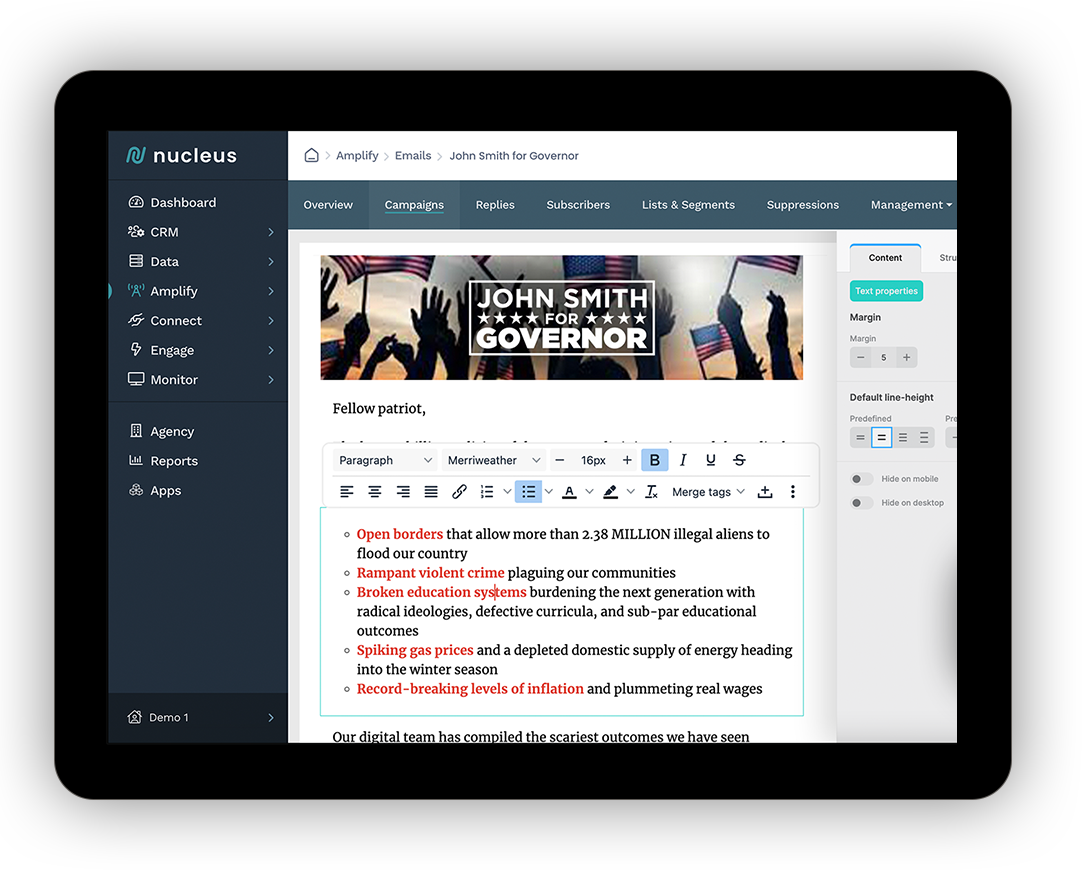
Our platform offers comprehensive marketing tools tailored for political campaigns, designed to optimize messaging, target audiences, and enhance campaign efforts.
Campaign Nucleus delivers incredible support... quick response times... exciting new features... dedicated to innovation and excellence.
–Lori
, Nonprofit Organization
Nucleus is a game-changer... handles everything in one platform... super easy to use... keeps everything organized and efficient. Highly Recommend!
–Terri
, Political Organization
Grateful for the hands-on, responsive help... customer service is top-notch... combines multiple tools into one platform... saves time and keeps everything in sync.
–Cathy
, Fundraising
Nucleus is a game-changer for email deliverability... its unique batching feature tailors audience sizes per domain for optimal ISP performance... with a user-friendly interface and robust analytics, it’s perfect for elevating your email strategy.
–John
, Digital Agency
Nucleus is a fantastic platform with the best support and it is tailored perfectly to meet the needs of the industry.
–Liam
, Digital Agency
Nucleus customer service is top-notch—friendly, professional, and always eager to help. Whenever I’ve encountered a technical issue, they’ve provided expert assistance, solving problems quickly and thoroughly. They are always ready to jump in and offer support. Truly dependable and a pleasure to work with. Highly recommended!
–Tommy
, State Party
As the CEO of Nexus Advertising Strategies, I’ve worked with numerous vendors... but Nucleus stands out. Their fulfillment services deliver consistent results... the platform is user-friendly, support is responsive... I trust Nucleus—and that trust has paid off.
–Ron
, Agency
Switching to Nucleus was a game-changer. Within 24 hours, we saw a 35% jump in email deliverability and doubled our open rates. Our audience targeting became dramatically sharper — and our campaigns started converting faster. The difference was immediate and measurable.
Validity reports that providers act on this directly. Its 2026 report says mailbox providers reject senders who suddenly increase volume, partly because their systems can't absorb the surge, and that rejections spiked over the holiday season as senders pushed volume to hit revenue goals (Validity 2026 Benchmark Report). The report's example is holiday retail. Political fundraising has the same problem on a tighter calendar.
The numbers that bite
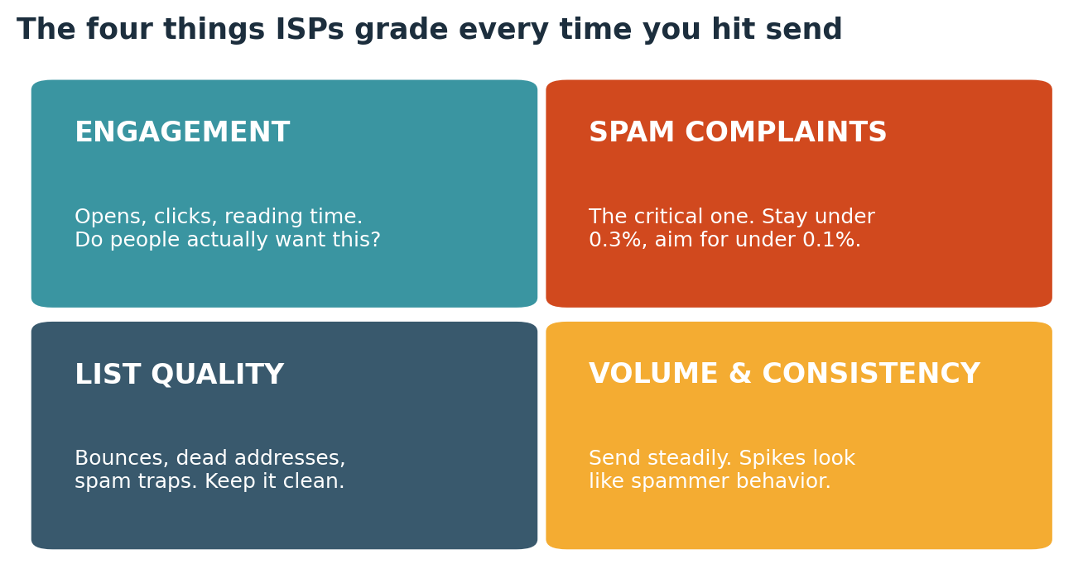
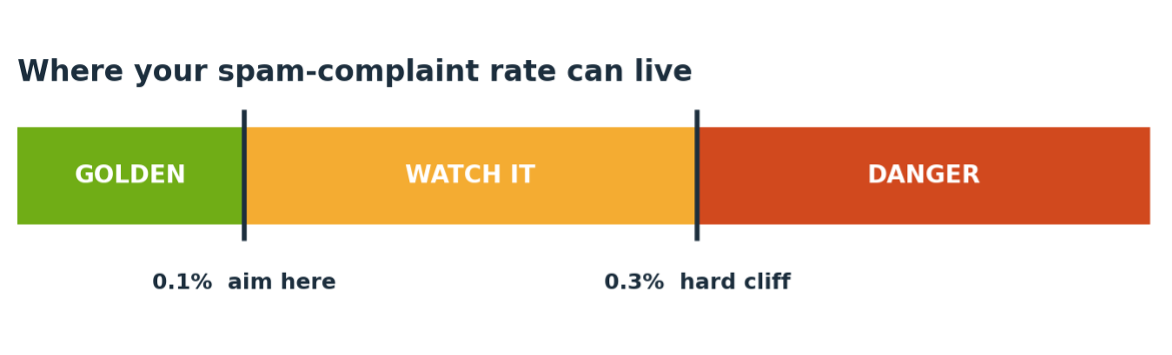
Google asks bulk senders (more than 5,000 messages a day to Gmail accounts) to keep user-reported spam rates below 0.1% and to avoid ever reaching 0.3% (Google email sender guidelines). The rate is calculated daily. Cross 0.3% and you lose eligibility for mitigation support until the rate stays below 0.3% for seven consecutive days (Google FAQ).
Yahoo's line is 0.3% (Yahoo sender best practices). Validity puts the average complaint rate at 0.06% and says under 0.1% is now the expectation (Validity). That makes 0.3% the cliff edge, and healthy senders sit nowhere near it. If you're testing it, you're the outlier.
Programs built for campaigns use the same number. Gmail's verified sender program measures a 14-day average spam rate against 0.3%, and a violation costs you a seven-day suspension or permanent removal (Gmail Verified Sender Program policies). Verified or not, the line doesn't move.
Three mailbox providers, three moods
Gmail first. Google says it has been ramping up enforcement since November 2025, and that non-compliant messages face disruptions including temporary and permanent rejections (Google FAQ). Depending on the violation, you may get spam foldering instead.
Yahoo uses the same 0.3% ceiling, and bulk senders also need one-click unsubscribe and two-day unsubscribe handling (Yahoo). Its page says nothing about volume spikes, so that gap is yours to manage.
Microsoft wants SPF, DKIM and DMARC (at least p=none) from anyone sending 5,000 or more messages a day to Outlook.com consumer addresses. It began routing non-compliant mail to Junk on 5 May 2025 and said rejections would follow on a date to be announced (Microsoft Tech Community). The reject code is 550 5.7.515.
You can fail without ever seeing a block. Junk and spam foldering look like low engagement on a dashboard, and a team already behind on a deadline will read them that way.
The deferral zone
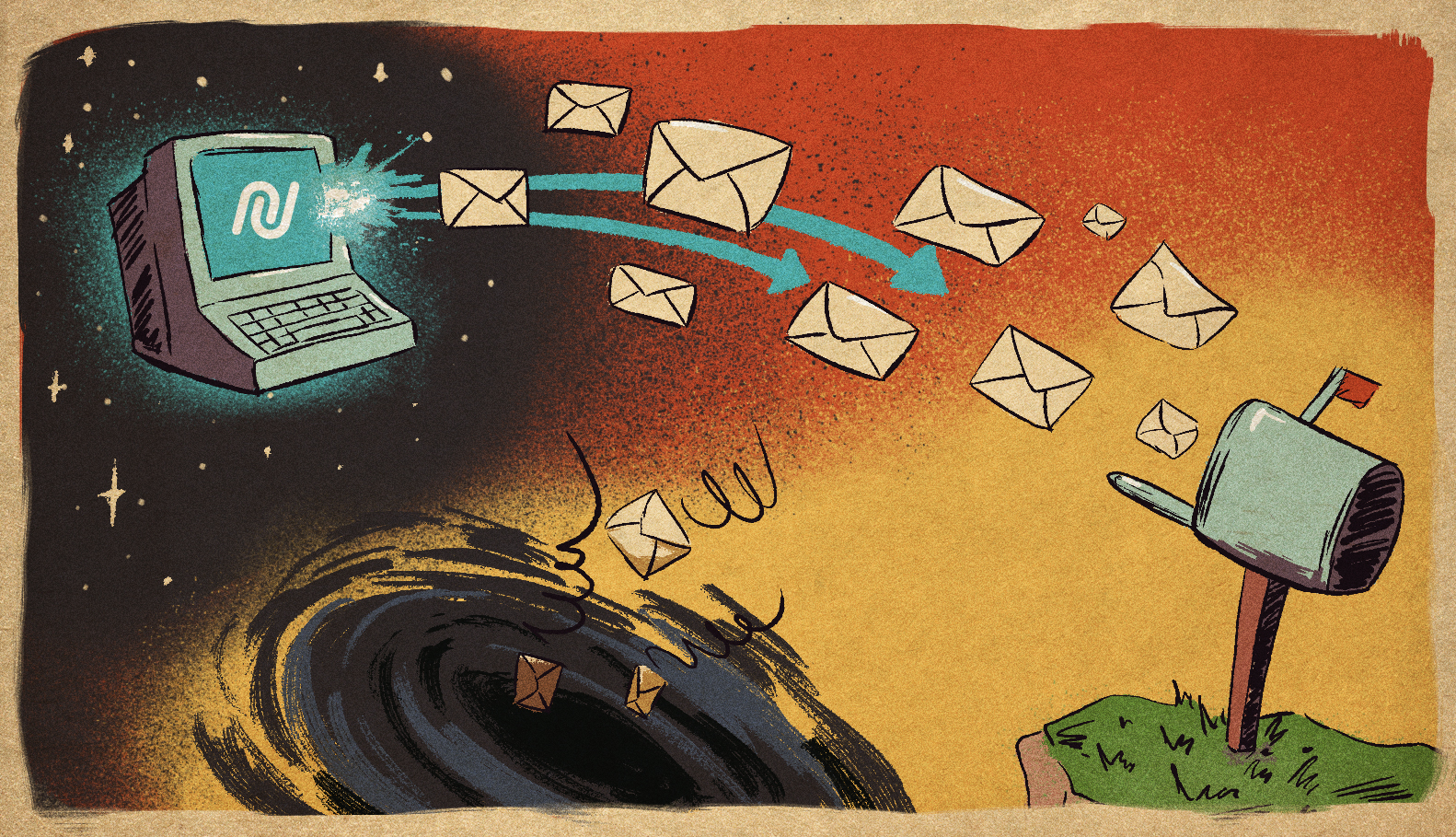
Gmail's 421 4.7.28 means it has detected an unusual rate of email from your IP address, netblock or domain and has temporarily rate limited it. Google's error page points you to its bulk sender guidelines and little else (Gmail SMTP errors and codes). It says nothing about ramping volume, which is a bit like a hospital sign that says "do not be sick."
Treat a 421 as a verdict. Before the next big send, check how your sending platform handles deferrals, so you know what it does with the queue when Gmail starts pushing back.
Deadline-night possession
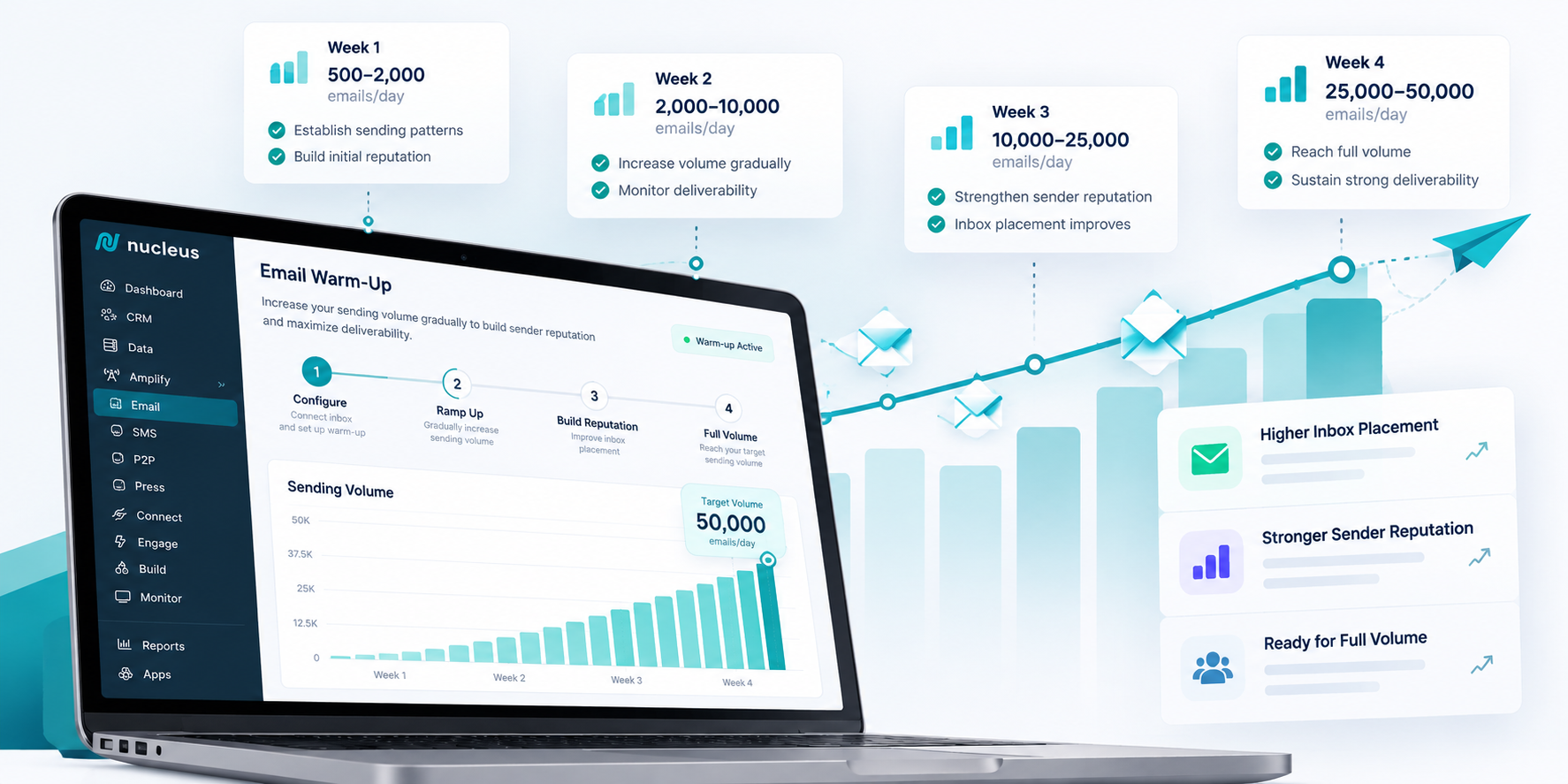
Political and nonprofit programs spike on purpose. An end-of-quarter push, an election-eve appeal and a breaking-news ask all land on the same infrastructure that sent a few thousand messages last Tuesday. The senders most likely to be cold are often the ones told to send to everyone tonight.
The thresholds don't care why. A new domain with no history and a sudden jump looks the same whether it belongs to a PAC or a pill spammer. What you can control is who you send to first and how many complaints you collect. Keep complaints well under 0.1%, which is much easier before the spike than during it.
Composite scenario: the deadline night
Composite scenario. No real organization or person is depicted. A new 501(c)(4) registers a fresh sending domain in August. An end-of-quarter deadline is coming, and leadership wants "the whole file, tonight."
What went wrong:
Early in the week: the domain sends about 4,000 messages a day.
Deadline night: 700,000 messages go out in two hours.
Hour one: Gmail returns 421 4.7.28 deferrals.
Hour two: retries stack up and complaints on the Gmail slice reach 0.4%.
Next morning: the team learns it is ineligible for mitigation support.
How it should have gone: decide the volume and segment plan weeks ahead, not on deadline night. Send engaged segments first. Watch Postmaster Tools while the send is running, and agree a stop rule at 0.1% complaints before anyone is tired. Have a plan for the rest of the file that does not require it all to go out at once.
Don't be this sender
Your biggest send of the quarter is also your first big send.
You don't know your Postmaster Tools spam rate today.
Your sending platform retries deferrals as fast as it can.
Dead addresses cost you in two ways. The obvious one is the bounce itself, which mailbox providers read as a sign you don't know who you're mailing. The less obvious one is that old addresses don't always bounce. Some of them get repurposed to catch senders who aren't paying attention.
There is also a clock you don't control. Validity notes that Yahoo closes inactive accounts after 12 months and Gmail after 24, so the longer a segment sits, the more of it turns into hard bounces (same report).
Three kinds of ghosts
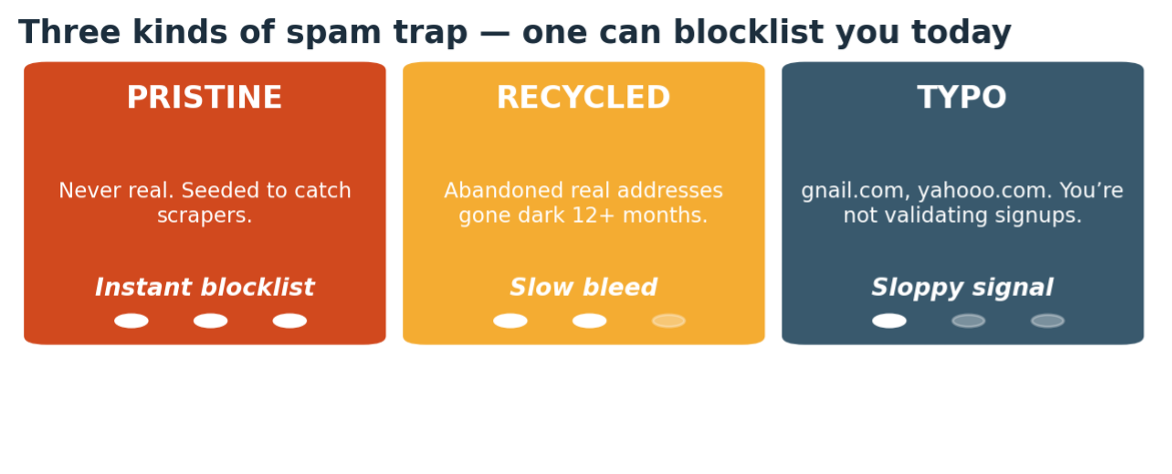
According to Spamhaus, most spamtraps fall into three groups: typos, recycled and pristine (Spamhaus on spamtraps).
Typo traps are misspelled versions of real provider domains, think yaaho.com. Spamhaus ties them to addresses scraped from the web or bought from someone who scraped them.
Recycled traps are real addresses that were abandoned and later turned into traps. Spamhaus says they make up most traps, and they mostly signal that you stopped cleaning your list.
Pristine traps were never anyone's inbox. Spamhaus says mail landing in one points to scraped or improperly sourced data, which says something worse about where the list came from.
The distinction matters because the fix differs. Recycled traps are a hygiene problem. Pristine traps are a sourcing problem.
Haunted by a stranger's list
Rented and bought lists are where the pristine traps live. You can't see how the addresses were collected, you can't see how old they are, and you inherit all of it the moment you hit send.
Spamhaus takes a blunt position on this: it urges people to treat spamtraps as proof of a data collection or hygiene issue and not to go hunting for the offending address (Spamhaus). That is hard advice to take at 4 p.m. the week before an election, but it is the right advice. If a vendor can't tell you how a list was built, the list is the risk.
The blocklist tribunal
Blocklists don't care about your intentions. They care about what your mail looks like from the outside: the IP it came from and the domains it links to.
Two habits make this worse. The first is judging a listing by the IP alone. URL blocklists such as SURBL list the domains that appear inside message bodies (SURBL overview), so your link and tracking domains can put you on trial even when your sending IP is spotless. Check them before launch, not after the first deferral. The second is treating a listing as a mailbox-provider problem. Read your bounce logs first. The provider is usually telling you exactly what it saw.
Exorcism by sunsetting
A sunset policy retires addresses that have stopped engaging. Spamhaus says M3AAWG suggests waiting at least 12 months before dormant addresses can age into traps, and that mailbox providers may start investigating unengaged addresses somewhere between 3 and 12 months (Spamhaus on sunset policies, November 2023, so treat the numbers as guidance, not a rule).
Put plainly: if you mailed someone a year ago and they never opened, clicked or gave, they are not a subscriber. They are a liability with a name attached.
In practice, sunsetting is three moves. Segment by last engagement. Send the re-engagement ask to the middle of the pile, once, with a clear way to say yes. Suppress everyone who doesn't answer. Hard bounces get suppressed the first time, every time.
Political and nonprofit programs resist this because list size feels like strength. I'd take a 150,000-address file that people read over a 600,000-address file that bounces at 7%.
Composite scenario: the 2019 petition list
Composite scenario. No real organization or person is depicted. A statewide PAC inherits 600,000 addresses: a 2019 petition drive plus a rented "likely donors" list. Most of them haven't been mailed in years. A pre-election push is two weeks out, and the finance director wants the whole file.
What went wrong:
Monday: the full file goes out. Hard bounces hit 7%.
Tuesday: Gmail starts deferring mail.
Wednesday: a recycled trap gets hit and the sending IP lands on a blocklist.
Thursday: fundraising links land in spam, even for donors who gave last month.
Friday: the consultant blames Gmail.
How it should have gone: verify the file at import and drop the rented segment. Send first to people who engaged in the last 12 months, then re-permission the rest or let them go. Check bounce and complaint rates after every send. Before launch, check the link domain against URL blocklists.
Don't be this sender
You email addresses you can't date.
You rent lists without asking where the consent came from.
You never suppress hard bounces or long-dormant addresses.
You've never checked your link and tracking domains against URL blocklists.
You blame the mailbox provider before reading your bounce logs.
If two or more of those sound familiar, your list is already haunted. The good news is that exorcisms are cheap compared to a blocklisting the week before Election Day.
Next week: what happens when a cold sender suddenly sends big.
Yahoo Sender Hub (senders.yahooinc.com), same core metrics, same 0.3% complaint threshold.
Microsoft SNDS covers Outlook, Hotmail, and Live. Note: consumer accounts only, not Microsoft 365 or Exchange Online.
Validity Sender Score (senderscore.org), a third-party 0-100 score. Above 80 is good, below 50 is real trouble.
The quick read on your numbers:
Complaint rate: under 0.1% golden, 0.1-0.3% watch it, over 0.3% fix it today.
Bounce rate: under 2% fine, 2-5% clean house, over 5% is a real list problem.
Domain reputation: High is great, Medium is a warning, Low or Bad means you're already filtered.
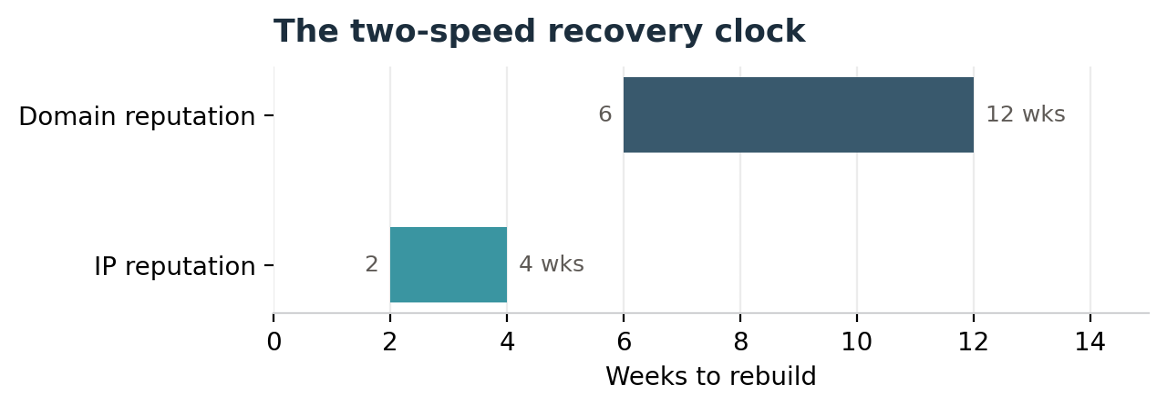
If your numbers came back rough, recovery follows real ranges: minor damage clears in 2-4 weeks of clean sending, moderate damage takes 4-8 weeks, and severe damage (multiple blocklists, a "Bad" Postmaster rating) runs 8-16+ weeks. Some domains never fully recover. The clock only starts once clean behavior replaces the bad pattern, and resuming full volume too early is the most common way senders reset their own clock back to zero.
The Cliff Notes
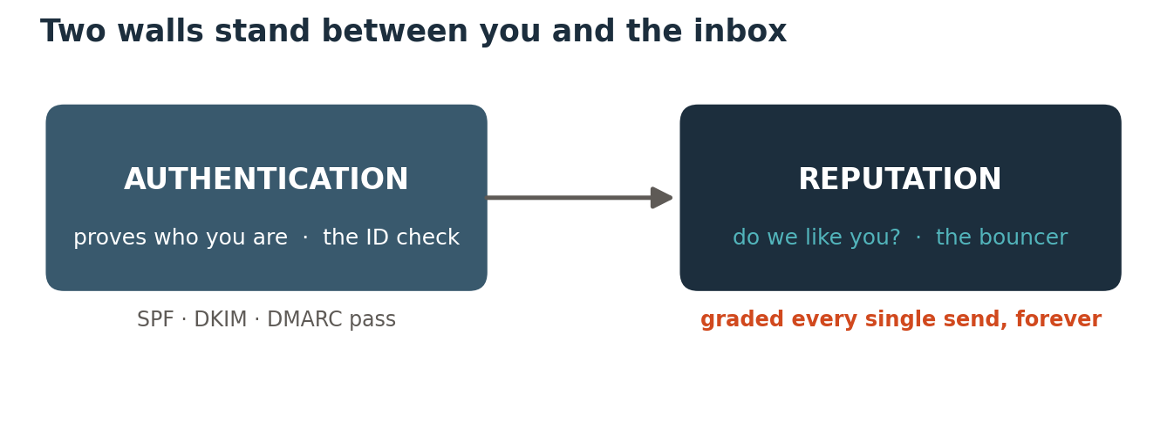
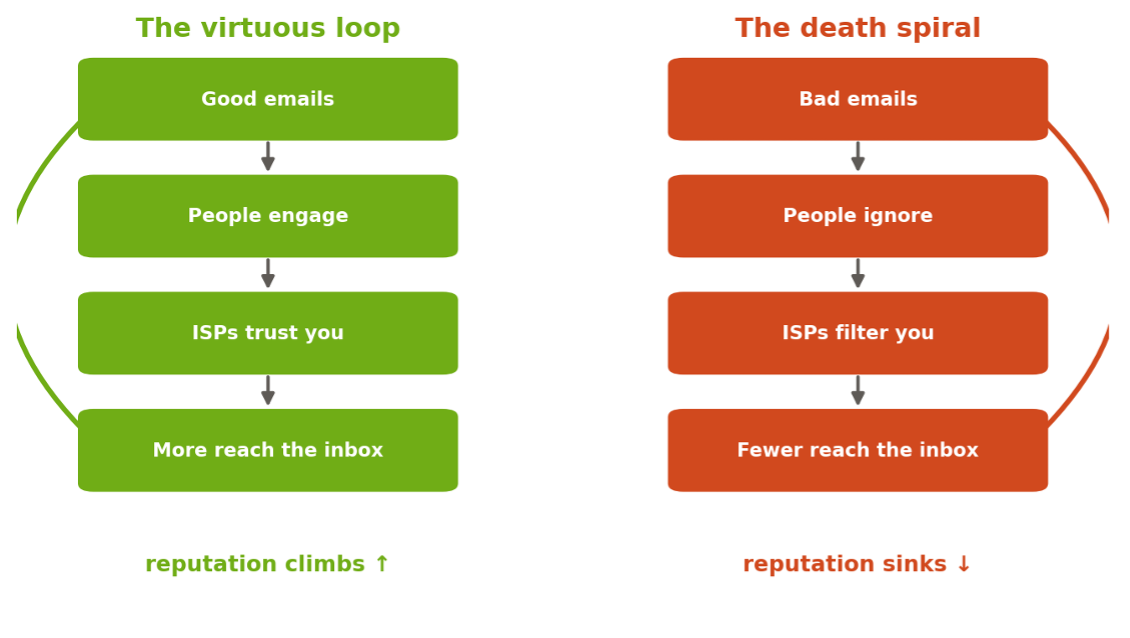
Authentication proves who you are. Reputation proves you're trustworthy, and it's judged continuously, not once.
83% of delivery failures trace back to reputation, not content, and most senders never check it.
Domain reputation is portable. You can't escape a bad one by switching tools.
Spam traps are hidden mines. Pristine traps blocklist you instantly; recycled and typo traps erode you slowly.
Recovery is slow: 2-4 weeks for minor damage, 8-16+ for severe. Check your dashboards weekly.
Next up, Section 4: the technical setup, the practical steps to put all of this into action.
ESM was our biggest release of the month — a rebuilt system for managing how your audience subscribes, updates preferences, and stays engaged. We published a full resource hub to go with it.
ESM gives you granular control over subscriber lists, preferences pages, and segmentation — all in one place. Whether you're onboarding new supporters or cleaning up your audience, these guides cover everything from setup to FAQs.
Questions about any of these updates? Our team is here to help. Head to the help center to explore every guide, or reach out directly — we're always building, and we want to make sure you're getting the most out of every release. (Must be logged in to view resources)
Experience the true power of Campaign Nucleus. Unleash potential with our command center, where collaboration, cost reduction, and enhanced communication drive success.